


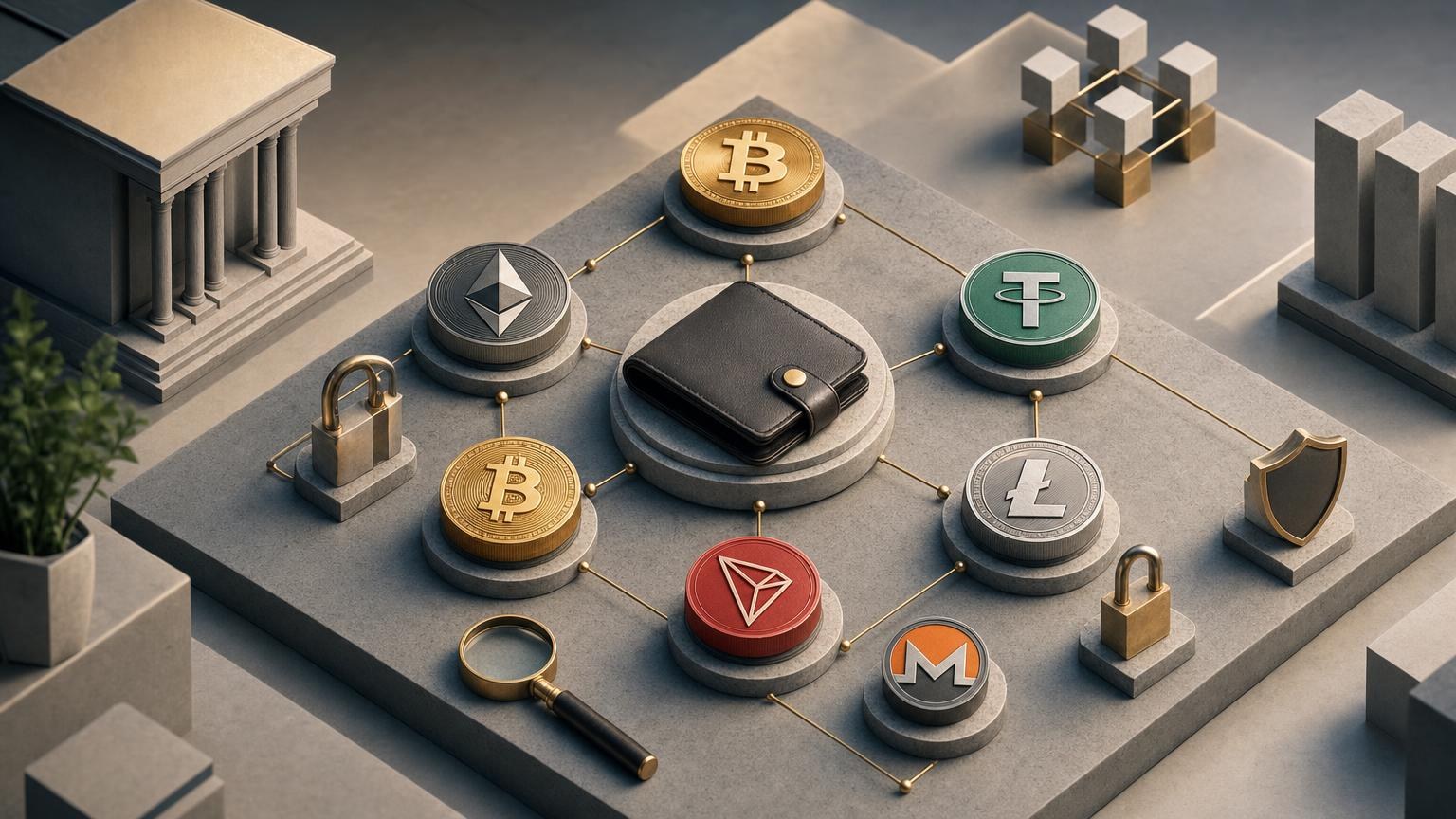
A cryptocurrency exchange can fail because of one incorrect character, the wrong network, an outdated quote or a convincing imitation website. The purpose of this pre-operation check is to catch those problems before funds are sent. It cannot remove price volatility, blockchain risk, compliance uncertainty or human error, and completing every item is not a guarantee that an operation is safe.
Express check: stop signals before you create an order
Do not proceed to the detailed review if any of these warning signs appears:
- The website domain differs from the address you intended to open, even by one character.
- The page, message or “support agent” asks for a seed phrase, private key, wallet backup or remote access to your device.
- The requested asset or network does not match the sending wallet or the receiving destination.
- The recipient address changes after you copy it, paste it or switch between windows.
- The service conditions shown in the order differ from the conditions you reviewed before creating it.
- A required Memo, Tag or payment identifier is missing, or you cannot establish whether one is needed.
- The offer depends on guaranteed returns, risk-free profit or an extra payment supposedly required to “unlock” funds.
- You are being pressured to act immediately rather than verify the operation.
Phishing pages can closely imitate genuine wallet and exchange interfaces. Official Ethereum security guidance recommends checking the site address and never entering a recovery phrase on a website; possession of that phrase can give another person control of the wallet. [1]
Two-pass pre-operation verification card
Use the first pass while reviewing the exchange route and creating the order. Use the second immediately before the irreversible action: sending cryptocurrency, signing a wallet transaction or otherwise releasing funds. If the order page refreshes, expires or changes, restart the relevant checks instead of relying on memory.
Pass one: verify the operation context
| What to compare | Independent confirmation | What a mismatch means |
|---|---|---|
| Domain and page origin. Check the complete domain, spelling and browser connection indicators. Open the service from a trusted bookmark or a domain you obtained through a separately verified channel. | Compare the browser address with the service’s established official contact or account information. Do not use an address supplied only in an unsolicited email, advertisement, direct message or search ad. | A different or unexpectedly redirected domain is a stop signal. Close the page without connecting a wallet, signing a message or entering credentials. |
| Exchange direction. Confirm which asset you send and which asset you expect to receive. Similar tickers and token names should not be treated as interchangeable. | Compare the order form with your sending wallet’s asset page and the receiving wallet or platform’s deposit instructions. | If the assets or the send-and-receive order are reversed, do not create or fund the order. Correct the direction and repeat the check. |
| Current asset and route availability. Verify that the required direction is offered now rather than assuming that support for an asset makes every pair available. | Use the current order interface and the terms displayed for that specific direction. The service works with assets including BTC, ETH, USDT, DAI, LTC, BNB, XMR and TRX, while available pairs and networks must still be checked for each operation. | An unavailable pair, suspended route or missing network means the proposed operation cannot continue in its current form. Do not substitute another asset or network without reviewing the entire route again. Ruble bank-card exchanges are planned rather than an available function. |
| Network on both sides. Match the network named by the exchange with the network selected in the sending wallet and supported at the receiving destination. Pay special attention to tokens such as USDT that can exist on more than one blockchain. | Check the service order, the wallet’s network selector and the recipient platform’s official deposit instructions. If needed, consult the relevant project documentation or a suitable blockchain explorer for network and address-format context. | A network mismatch can leave the recipient unable to credit or access the transfer. Do not assume that a familiar-looking address proves compatibility. Official BNB Chain material, for example, distinguishes transfers involving BNB Smart Chain and opBNB and requires the wallet to be set to the appropriate network. [2] |
| Address type and destination requirements. Determine whether the recipient expects a standard address, a service deposit address, an integrated address or an additional identifier. | Use the recipient’s current deposit screen or official wallet documentation. For example, Monero integrated addresses can contain a payment identifier, so their handling differs from a separate business order number. [3] | If the displayed address type or required fields do not correspond to the destination instructions, pause and clarify the format. Do not improvise a Memo, Tag or payment ID. |
| Rate, fees, limits and estimated result. Read the values presented for the actual order, including any stated network cost, service charge, minimum or maximum and the amount expected at the destination. | Compare the order summary with the amount available in your wallet and with the receiving destination’s current conditions. Treat earlier screenshots, cached pages and third-party rate listings as reference material, not as the controlling terms. | A changed total may reflect an updated quote, fees, limits or an edited order. If the difference is unexplained or unacceptable, do not fund the order. Cryptocurrency prices may move while you review the transaction. |
| Timing and quote state. Check whether the order is active and whether any displayed conditions have an expiry or funding window. | Rely on the current status inside the order rather than an old tab, email preview or remembered value. | An expired, cancelled or regenerated order may have a new address or new conditions. Never send to details copied from an earlier order without fresh confirmation. |
| Compliance requirements. Review what information or checks may apply to this direction before sending funds. | Consult the current requirements displayed by the service for the specific operation and, where relevant, the rules applicable in your country. | If the requirements are unclear, cannot be completed lawfully or differ from what the order states, clarification is required before payment. Verification conditions can depend on the direction and the results of compliance checks. |
| Source of every critical value. Identify where the address, network, amount, rate and order identifier came from. | Critical values should originate from the active order and be cross-checked against the sending and receiving interfaces. A direct message from someone claiming to be support is not independent confirmation. | If an address or instruction exists only in chat, email or a social-media message, treat it as unverified. Return to the official order rather than following the message. |
Pass two: repeat critical fields before the irreversible action
Perform this pass after the wallet confirmation screen appears. Do not approve first and inspect later. Ethereum transactions, for example, include the receiving address and are signed before being broadcast; after submission, the transaction receives a hash and moves through network validation. [4]
| What to compare | Independent confirmation | What a mismatch means |
|---|---|---|
| Recipient address. Compare the full address shown by the wallet with the active order. Checking only the first and last few characters may miss sophisticated clipboard replacement. | Read the value from two independently visible places, such as the active order on one device and the wallet confirmation on another. A QR code should still be checked after scanning because it is only another way to enter data. | Any changed, shortened or unexplained character means stop. Cancel the wallet prompt, obtain a fresh address from the order and investigate possible clipboard malware or page tampering. |
| Asset and network. Confirm the ticker, token identity and selected blockchain once more on the wallet’s final screen. | Compare the final wallet prompt with both the order and the destination’s deposit instructions. | If the wallet is about to send a different asset or use another network, cancel the transaction. Do not rely on the fact that two networks use addresses with a similar appearance. |
| Memo, Tag or payment identifier. Enter it only when the active destination instructions require it, then compare every character. | Use the identifier displayed for the current order or deposit destination. Confirm whether the wallet places it in the correct dedicated field. | A missing or incorrect required identifier can prevent automatic matching of the payment. If the purpose of the field is unclear, cancel and ask through a verified support channel before sending. |
| Amount being sent. Check the digits, decimal position, asset unit and whether the wallet deducts a network fee separately or from the amount. | Compare the wallet confirmation with the active order amount and your balance. Read the number as a whole rather than focusing on the final digits. | An amount outside the stated order conditions, an unexpected “send maximum” result or a changed decimal position requires cancellation and recalculation. |
| Expected amount to receive. Recheck the latest result shown in the order and any clearly disclosed deductions. | Compare the current order summary with the value reviewed during pass one. If the quote has refreshed, evaluate the new result as a new condition. | An unexplained difference means the operation needs clarification. Do not assume that the earlier estimate still controls after an order update. |
| Wallet action. Distinguish a normal transfer from a request to connect the wallet, approve token spending or sign an unrelated message. | Read the wallet’s own confirmation text, including the destination, requested permission and spending amount. The expected action should match the step described by the exchange order. | An unlimited approval, an unfamiliar contract interaction or a signature unrelated to the transfer is a stop signal. Reject it rather than testing what happens. |
| Order status and recipient details. Refresh the order once and confirm that it still expects payment to the same destination. | Use the active order page, not a copied note or old screenshot. | If the order has expired, been cancelled or now displays different payment data, do not send. Create or clarify the operation and repeat both passes. |
After completing both passes, one possible next step is to check the current exchange conditions for your chosen route.
Classify the result without treating it as a safety guarantee
Continue the verification process
This outcome is appropriate when the domain, direction, asset, network, address format, amount and current order conditions agree across the relevant sources. Continue to monitor the wallet confirmation screen and keep the option to cancel until the transaction is actually submitted.
Clarification required
Use this outcome when the issue might have a legitimate explanation but cannot be resolved independently. Examples include an unfamiliar address format, an unclear Memo requirement, a refreshed quote, a compliance request shown only after order creation or a difference between the estimated and final amount. Contact the service through a channel reached from the verified domain and provide only the order details needed to investigate. Never provide a seed phrase or private key.
Stop
Stop when the domain is suspicious, the address changes unexpectedly, the network differs, someone requests wallet secrets, the order is no longer active, or an instruction depends on guaranteed profit or an extra “release” payment. Closing the page and cancelling an unsigned wallet prompt is safer than trying to discover whether the warning is genuine by sending a small transfer.
Control route before, during and after the exchange
Before sending
- Complete the express check and both passes of the verification card.
- Close unrelated wallet tabs, messaging windows and copied address notes that could cause confusion.
- Make sure the device and wallet interface behave normally and that no unexpected extension or remote-access tool is active.
- Keep the current order identifier available without recording secrets or excessive personal information.
While the transaction is pending
After submission, save the transaction ID, commonly called a txid or transaction hash, from the wallet. Check it in a blockchain explorer that corresponds to the network actually used. A transaction may appear as pending before it is included in a block, while the exchange may wait for its own required level of confirmation. Do not resend the same payment merely because the receiving balance has not updated immediately.
Monitor three separate states: the sending wallet’s transaction status, the blockchain explorer’s record and the exchange order status. These systems may update at different times. On Ethereum, for instance, a broadcast transaction first enters the transaction pool and must then be included in a validated block. [4]
After confirmation
Compare the credited asset and amount with the completed order summary. Confirm that the funds arrived on the intended network and at the intended destination. A blockchain confirmation proves that a network processed a transaction; it does not by itself prove that an exchange credited the correct order or that the destination supports the transferred asset.
If the status is delayed, the amount differs or the data changes
Do not create additional transactions until the original one is understood. Sending again can turn a display delay or matching problem into a duplicate payment.
- Verify broadcast status. Find the txid in the sending wallet and check it using an explorer for the selected blockchain. Confirm the sender, recipient, asset where visible, amount and network status.
- Separate a wallet issue from an order issue. If no txid exists, the wallet may not have broadcast the transaction. If the explorer shows a pending transaction, the network has not finalized it. If it shows a confirmed transfer but the order has not updated, the service may need to investigate the matching or crediting stage.
- Compare the original order record. Check whether the address, network, amount or required Memo matched the active instructions at the time of sending. Do not edit screenshots or reconstruct values from memory.
- Review the amount calculation. Determine whether the sending wallet subtracted a network fee, whether the order conditions changed before payment or whether the submitted amount fell outside the stated route requirements.
- Use verified support access. Provide the order identifier, txid, network, asset and a concise description of the discrepancy. Do not send a seed phrase, private key, password, authentication code or unnecessary identity document through chat.
- Treat changed instructions as a new risk. If a message asks for another payment, a new address or secret wallet information, stop and verify the request through the official domain.
Diagnosis does not guarantee recovery. Transfers sent to an incorrect address or through an unsupported network may be difficult or impossible for the intended recipient to access. Official Ethereum guidance describes transfers to the wrong address as irreversible unless the address owner voluntarily returns the funds, and warns that supposed recovery agents may create a second scam. [1]
Threats directly related to an exchange operation
Phishing and fake support
A copied design, familiar logo or valid-looking order form does not establish that a site is genuine. Verify the domain before connecting a wallet or signing anything. Be suspicious of unsolicited support messages, especially when they redirect you to a different site or request a payment to resolve an invented account problem.
Clipboard address replacement
Malware can replace a copied cryptocurrency address with another value. Compare the full pasted address with the active order after pasting and again in the wallet confirmation. If the value changes, cancel the action and stop using the affected device for transfers until it has been checked.
Wrong network
An asset ticker alone does not identify the blockchain. USDT and other tokens may be issued or represented on multiple networks, while wallets and receiving services may support only selected versions. Tether’s own documentation describes Tether tokens as operating on supported blockchains, reinforcing the need to identify the specific blockchain rather than relying only on the token name. [5]
Seed phrase exposure
A seed phrase is not an exchange detail, payment reference or verification code. It can provide control over wallet funds. Monero documentation similarly explains that sharing a mnemonic seed is equivalent to giving another person access to the funds it controls. [6] If a seed phrase has already been disclosed, do not continue the exchange from that wallet; secure the remaining assets using trustworthy wallet guidance and avoid anyone promising guaranteed recovery.
Guaranteed-return claims
An exchange operation converts one supported asset into another under stated conditions; it does not make future profit certain. Claims of guaranteed income, a risk-free spread or a mandatory deposit that will produce a larger automatic payout are unrelated to the normal address-and-order verification process. Treat them as a reason to stop rather than as an exchange condition.
Minimal record to keep after the operation
Retain only the information needed to trace the transaction and discuss a discrepancy:
- the order identifier;
- the txid or transaction hash;
- the asset and network used;
- the amount sent and the amount shown as received;
- the creation and submission times shown by your own records;
- the final order status and non-sensitive screenshots of relevant conditions, with unnecessary personal details removed.
Do not store seed phrases, private keys, wallet backup files, passwords or authentication codes with the order record. Avoid collecting unrelated personal information. The practical endpoint of the check is a small, non-secret audit trail that can connect the active order to its on-chain transaction without creating a new security risk.